Searching for the best IPTV subscription in 2026? Every provider claims the biggest channel list and the sharpest picture, so this guide ignores the claims and looks at what actually determines whether a subscription is worth keeping after month one — and how to verify each point yourself before you pay anyone.
The five criteria that actually matter
Strip away the marketing and a subscription is judged on five things: coverage of the channels you personally watch, stability when everyone connects at once, genuine picture quality rather than upscaled SD, support that answers while the match is still on, and value measured over a year rather than a headline price. Channel count is not on that list, because a list of 30,000 dead channels is worth less than 5,000 working ones.
Channels and coverage
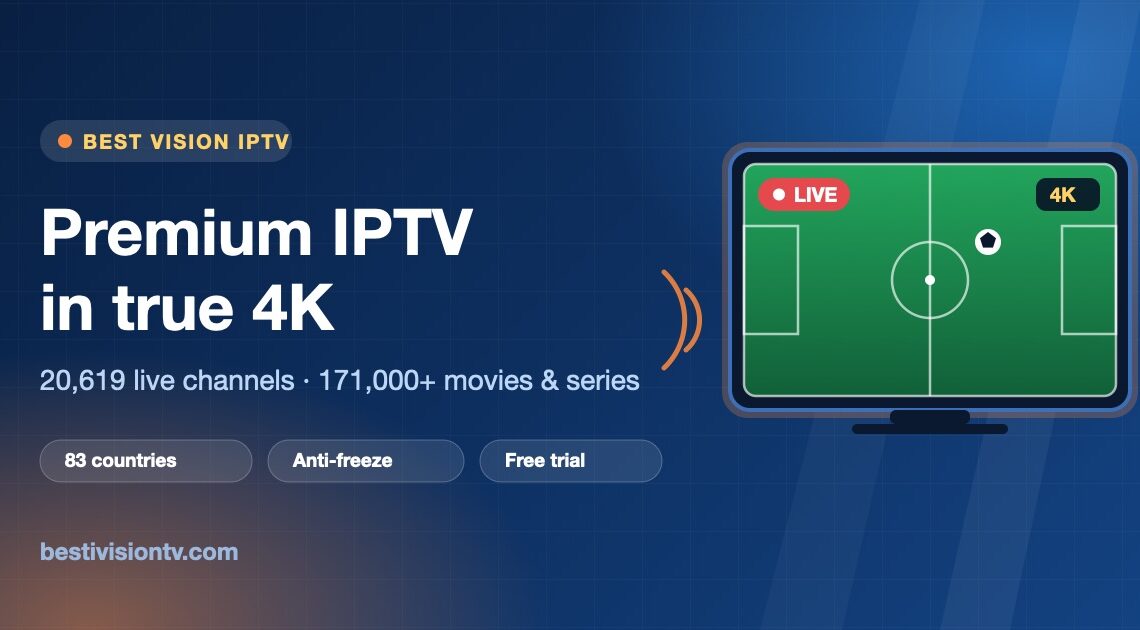
The right question is not “how many?” but “are mine there?”. A serious service carries the major sport networks — beIN Sports, Sky Sports, TNT Sports, DAZN, Canal+, ESPN, SSC — alongside general entertainment, news and children’s channels in several languages, plus a deep on-demand library. Best Vision carries 20,000+ live channels across 83 countries and 171,000+ films and series. Check yours on the channel list before subscribing, not after.
Stability under load
This is the criterion that separates services, and it is invisible until it fails. Any provider looks flawless on a quiet weekday afternoon; the test is a Champions League night or a title fight, when demand peaks simultaneously across every server. Anti-freeze infrastructure exists precisely for those hours. When you test a trial, schedule it around a big fixture — anything else tells you nothing useful.
Real 4K versus upscaled
Plenty of sellers advertise 4K and deliver an upscaled SD signal that looks soft on a large screen. Genuine 4K exists only where the broadcaster produces it, and an honest provider says which channels those are. The rest of a good line-up sits in FHD, which is what most people watch most of the time and looks excellent at normal viewing distance. Judge quality on your own television during a trial, not from a logo on a sales page.
Support and delivery
Two practical measures. How fast does support answer before you pay — because it never gets faster afterwards. And how quickly does the login arrive once you order: minutes to a few hours is normal for a manual-verification process, days is not. Best Vision answers on WhatsApp in minutes and delivers within minutes to a few hours.
Value, not just price
The cheapest subscription is rarely the best value, and the most expensive is rarely the best service. The market rate for something serious is €10–15 a month, falling to under €6 a month equivalent on an annual plan — the full breakdown is in how much IPTV costs. Below that range you are usually buying a service with no money left to run its servers, which is why those subscriptions fail within months.
How to verify all of this before paying
Take a free trial and run four checks: open your must-have channels during a live broadcast; confirm the guide and catch-up work; compare 4K and FHD on your own screen; and send support a specific technical question to time the reply. Our full pre-purchase checklist is in how to choose a reliable IPTV.
Get started
Message us on WhatsApp for a free trial, run the checks above, and only then look at the plans and prices. Best Vision has served more than 8,000 customers since 2020 under the same name and the same support line.
Best IPTV by device
One Best Vision subscription runs on every device below with the same Xtream Codes login. Each platform still has its own best player, its own limits and a few habits that keep the picture smooth. If you are choosing hardware as well as a service, here is how the main options compare.
Fire TV Stick
The Fire TV Stick is the most popular IPTV device. It is cheap, it plugs into any HDMI port and it runs Android underneath, so every serious player app supports it. The standard Stick handles Full HD comfortably. Older sticks are best kept at FHD. For 4K and smooth live sport, the 4K Max or the Cube have more memory and stutter less. TiviMate is the favourite for its TV guide and favourites, and IPTV Smarters is the simpler free option. On a Firestick you usually install players with the free Downloader app after allowing unknown apps. This is a standard Fire TV setting, not a jailbreak. Because the Stick is the size of a USB key, you can take it on holiday or to a second home, plug it into any TV, connect to Wi-Fi and find your channels and favourites as you left them. Step-by-step instructions are in our installation guide.
Smart TV
On Samsung (Tizen) and LG (webOS) televisions, IPTV Smarters is in the TV’s own app store, so there is nothing to sideload and no extra box. On Android TV and Google TV sets, which includes Sony, Philips, TCL, Hisense and most other brands, you get the full range of players, including TiviMate. A big screen shows every weakness, so give the TV the best connection you can: an Ethernet cable beats Wi-Fi, and about 25 Mbps keeps genuine 4K channels smooth. Older Smart TVs, roughly pre-2018, often have slow processors and limited app stores. If yours struggles, a Fire TV Stick or a cheap Android box on HDMI gives you a faster interface and more player choice. Our player comparison shows which app suits which brand.
Android phones, tablets and boxes
Android is the most flexible platform. It runs on phones, tablets, TV boxes and most non-Samsung, non-LG televisions, and it supports every major player: TiviMate on boxes, IPTV Smarters or XCIPTV on phones and tablets. Install from the Play Store, or sideload on a box. There is no need to root anything. On 4G or 5G, choose the HD or FHD version of a channel rather than 4K. 4K uses up a data allowance quickly and adds nothing on a small screen. If the signal drops in and out, raise the app’s buffer by one step. One login covers the phone, the tablet and the living-room box, but the number of screens that can play at the same time depends on your plan, so check it on the plans page. If any device freezes, our troubleshooting guide takes you through the fixes in order. The best way to decide is to run a free trial on the device you actually watch on.
Frequently asked questions
What is the best IPTV subscription in 2026?
The one that stays stable under load, carries your channels, delivers real 4K where available and answers support quickly. Verify all four on a free trial.
How many channels should a good service have?
Coverage matters more than count. Check that your specific channels are on the published list.
How much should I pay?
Around €10–15 a month, less on a yearly plan. Far cheaper usually means the service will not last.
How fast should delivery be?
Minutes to a few hours. Days is a warning sign.
Is there a free trial?
Yes — request a free trial on WhatsApp and test all five criteria yourself.
Further reading: IPTV on Wikipedia.